6 Best Carbon.now.sh Alternatives for Developers in 2026

Carbon.now.sh is a popular tool for developers who want styled images of their code.
You paste your code, take a look, and get a shareable screenshot in seconds.
Many developers use it to share code snippets on social media, in blog posts, or in documents. Still, not every project fits what Carbon offers.
You might need a tool that integrates well with your editor or supports export options that match how you share code.
Or maybe you work in a team and want more control over where and how you save your snippets.
That’s why looking at different options makes sense.
Let’s get started.
Best Carbon.now.sh Alternatives Compared
Below is a curated list of tools that offer different ways to create and share code visuals.
Some focus on speed and simplicity, while others add features like animations, snippet storage, or editor integrations.
Each alternative is compared based on features, use cases, and pricing to help you decide what works best for you.
Snappify
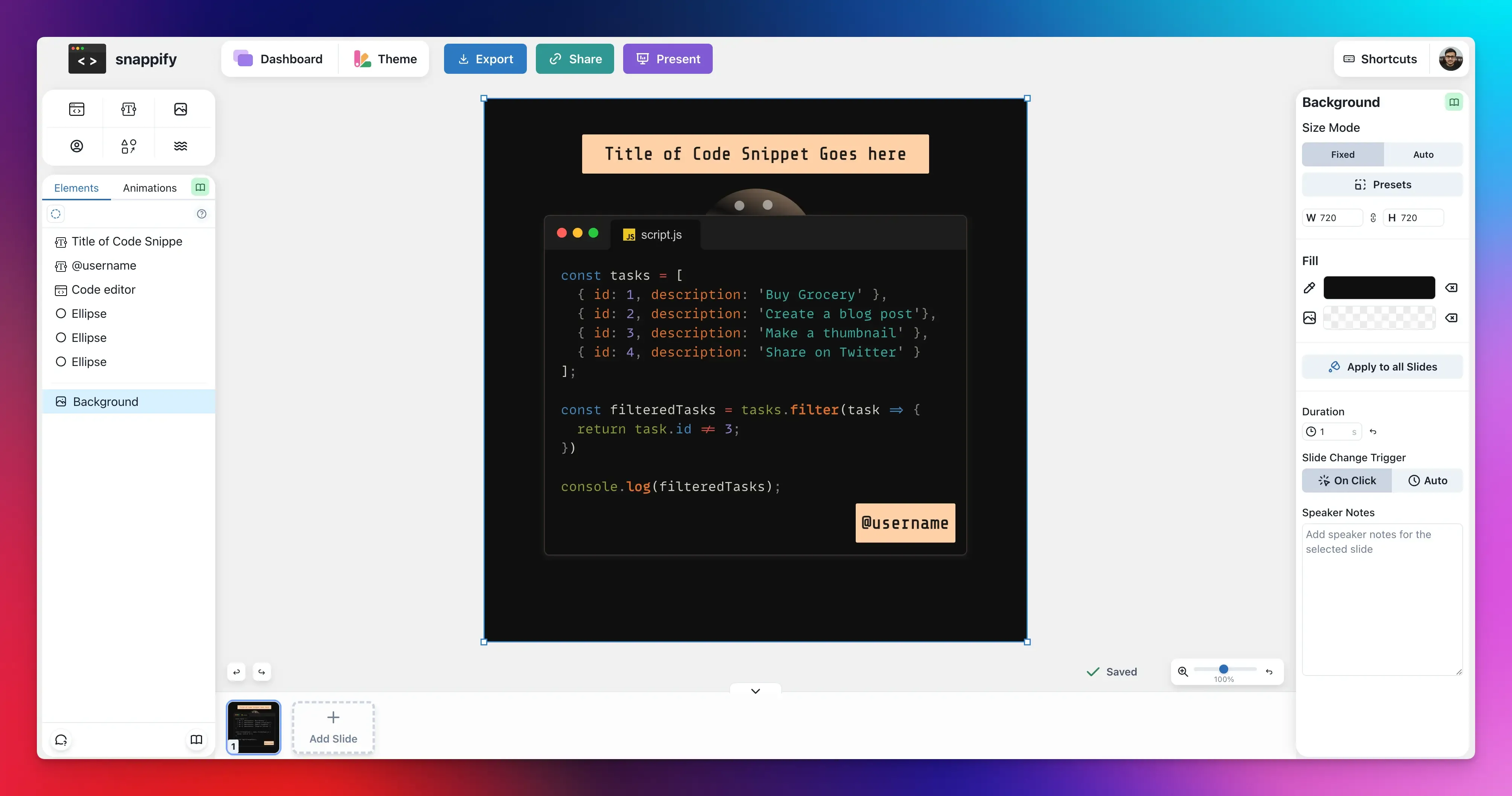
Snappify is a powerful tool for anyone who wants to turn code into engaging visuals and technical presentations.
Unlike Carbon, which only generates static images, Snappify expands what you can do with your code visuals, offering multiple slides and layout options that are very useful for tutorials, product demos, or branded visuals.
Beyond beautiful, customizable code images, it lets you create animated snippets and integrate them into slides to explain code more clearly and engagingly.
Key Features:
- Create code presentations with multiple code windows.
- Animate code visuals to display code changes or concepts in motion.
- Embed interactive slides on blogs or documentation pages where viewers can copy code or click links.
- Add rich annotations by placing arrows, labels, and descriptive text beside your snippets to explain logic or highlight key parts.
- Use personal branding with custom avatars, logos, or usernames to make your snap look professional.
- Store and manage snippets so you don’t have to recreate them from scratch every time.
- Export in multiple formats, including images, animated GIFs, and MP4 videos.
- VS Code and IntelliJ plugins let you create snaps right in your editor.
Pros:
- Rich visual presentation with interactive output.
- Branding and customization options.
- API access for automating snippet creation.
Cons:
- Free plan includes watermarks.
Best for: Tutorials, presentations, and developers who want animated or interactive code visuals.
Pricing:
- Free plan available with 3 snap storages, 5 slides per presentation, and access to basic editor features.
- Paid plan starts at $5/month and removes watermarks. It offers increased snap storage and slides/presentations.
Ray.so
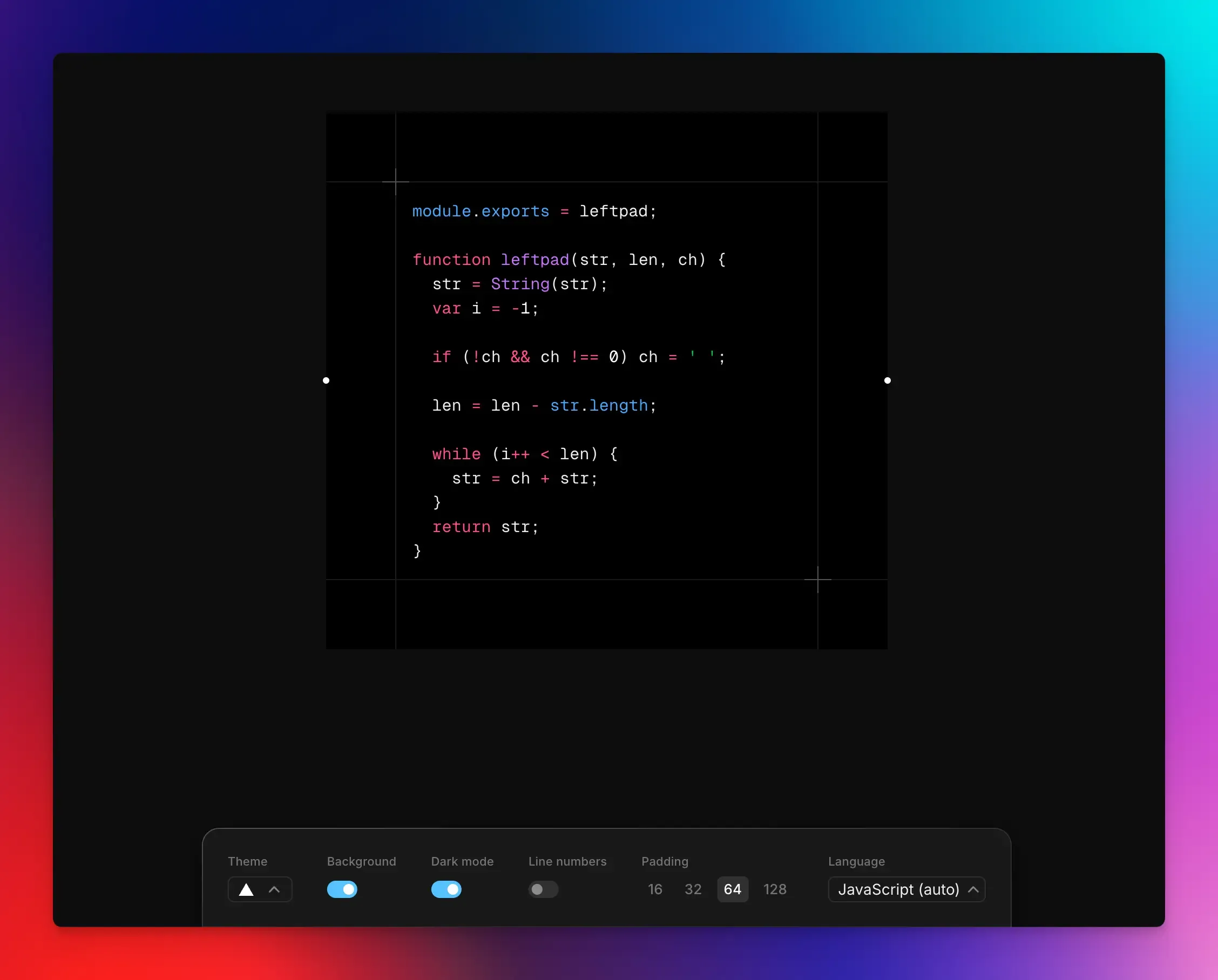
Ray.so is a web-based image generation tool known for its simplicity and beautiful output. It offers a user-friendly interface with themes and backgrounds to quickly generate images that look great on social media, blogs, or in presentations.
While Carbon has a wider selection of themes and more advanced settings, Ray.so focuses on speed and ease of use, making it a great alternative when you want clean code images fast.
You can also check out our guide about the best Ray.so alternatives.
Key Features:
- Simple editor with a live preview. You can adjust settings right there.
- Modern themes and background options with dark or light mode support to match the look you want.
- Syntax highlighting makes code easier to read and more visually appealing.
- Export high-resolution images in blogs or share on social media.
Pros:
- Aesthetic results with minimal effort.
- You don’t need an account to use it.
Cons:
- Limited advanced customization compared to other tools.
- No snippet management, annotation tools, or animation features.
Best for: Creating clean, good-looking code images quickly without setup.
Pricing: Free
CodeImage
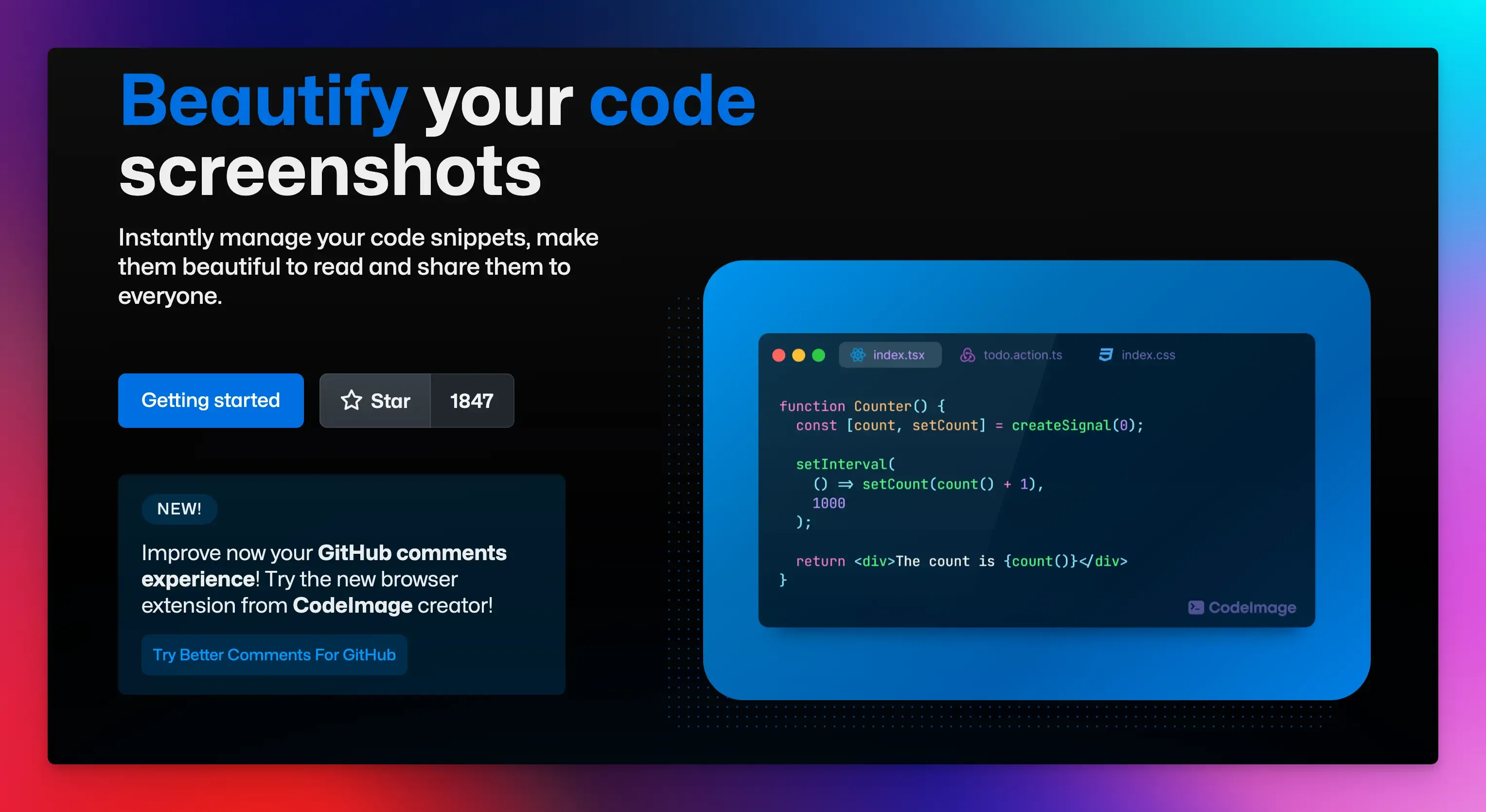
CodeImage is a good choice if you want most of the same features as Carbon, but with a more modern, smoother user experience. It gives you fast, high-quality images with full control over appearance.
It is an open-source project, which means you can contribute to its source code on GitHub and help improve the tool.
Key Features:
- Custom themes, background styles, and colors to match your brand.
- Live preview to see exactly how the code image will look.
- Snippet storage and management so you can revisit them whenever you want without pasting again.
Pros:
- Great output quality.
- Strong language support and theme choices.
- Open source and community-supported.
Cons:
- Requires sign-in to save and manage snippets.
- It does not create animations or interactive visuals.
Best for: Developers who want a modern, open-source alternative similar to Carbon.now.sh.
Pricing: Free
Codepng
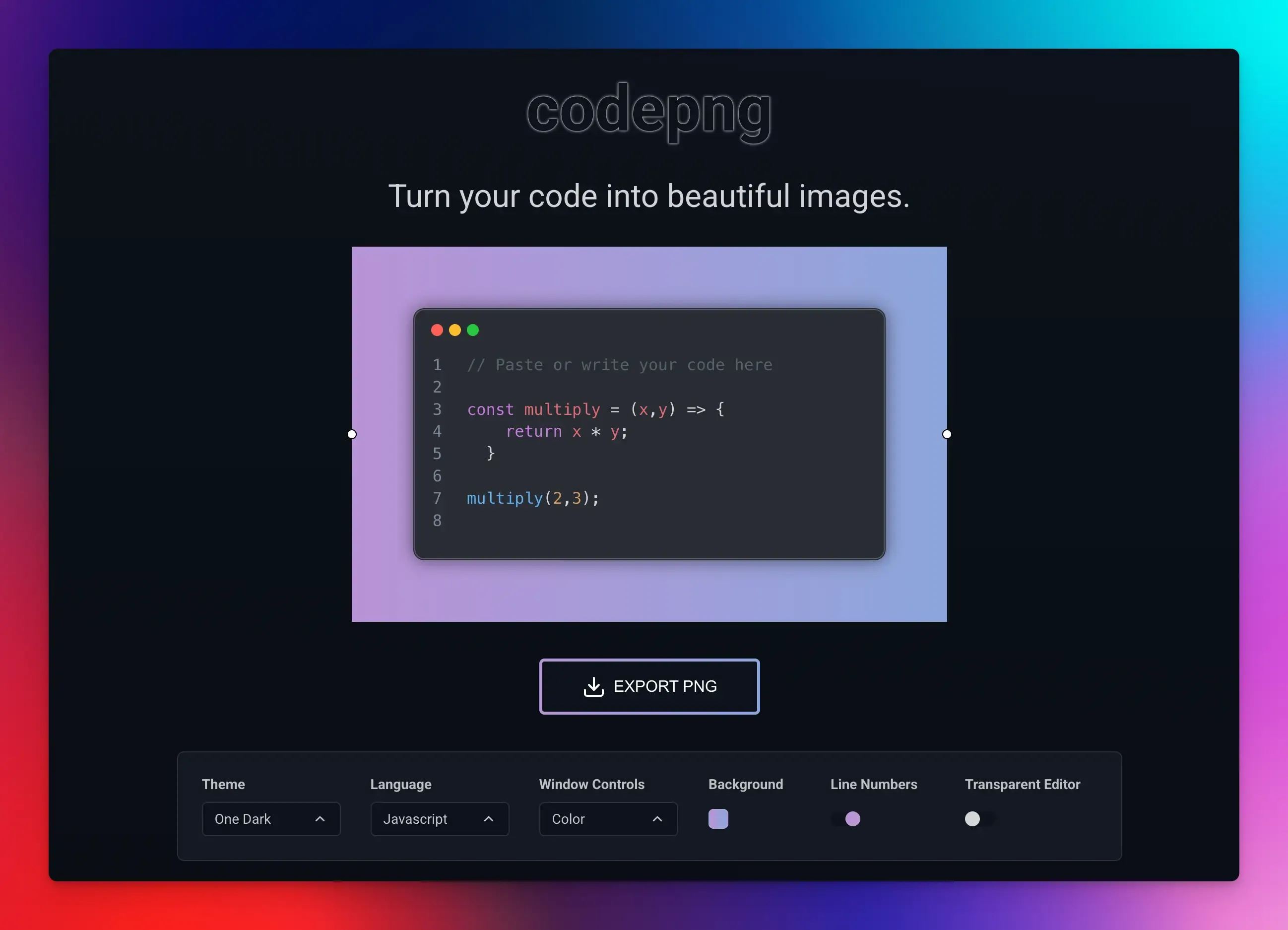
Codepng is a simple tool that lets you quickly turn your code into static images, perfect for sharing on social media, blogs, or in presentations.
It’s a great option if you want to create a beautiful screenshot without complicated settings.
Key Features:
- Web-based tool that runs in your browser. You don’t need to install it or create accounts to use it.
- Useful customizations like themes, colors, and formatting.
- Control the background and window look to suit your preference.
Pros:
- A distraction-free interface to help you focus on the task.
- Good quality PNG images that are easy to read.
Cons:
- No advanced features like multi-slides or snippet management.
- You must be online to use it.
Best for: Simple, distraction-free code screenshots for blogs and social posts.
Pricing: Free
CodeKeep
CodeKeep is a platform for developers to store, organize, and reuse code snippets.
It serves as both a cloud-based library for storing your code snippets and an advanced editor for creating shareable images of your code.
Key Features:
- Snippet management with unlimited folders and labels to categorize them for easy searching later.
- Screenshot editor lets you generate images with templates, backgrounds, and optional social handles.
- Quick capture option to instantly save a new snippet.
- Chrome and VS Code extension to save and insert snippets directly from your workflow.
- Dark mode support to reduce eye strain.
Pros:
- Searchable library to quickly find what you need.
- High customization with templates, image uploads, and annotations.
Cons:
- Its screenshot editor is handy but simpler than dedicated visual tools like Snappify.
- The free plan includes a watermark on exported screenshots.
Best for: Organizing, saving, and reusing code snippets across projects.
Pricing:
- Free plan includes unlimited public snippets and up to 40 folders.
- Paid plan starts at $4.99 per month and includes unlimited private snippets and folders.
Codeshot
Codeshot is a desktop app inspired by Carbon. If you’ve ever spent time manually centering code in Carbon, Codeshot automates this with predefined image sizes and real-time previews.
It’s ideal for developers who regularly post code to X or LinkedIn and want a quick way to make their snippets look great with little effort.
Key Features:
- Multiple themes for syntax colors and backgrounds. Also includes light or dark themes to match your style.
- Customization options include window border radius, font choice, shadow depth, and spacing.
- Keyboard navigation so you can do almost everything without touching your mouse.
Pros:
- Perfect for creating platform-optimized code images.
- Gives greater control over how your image looks.
Cons:
- Only works on macOS.
- Unlike Carbon, you must download and install it.
Best for: macOS users who frequently share code on social media platforms.
Pricing: One-time purchase costs $5.99.
Final Words
The options listed above all make it easier to style and share your code, rather than relying on plain screenshots or text blocks.
Using these tools can help you communicate more effectively when writing technical content, teaching, or posting on social channels.
Many tools work directly in your browser, let you choose themes and backgrounds, and allow you to export in formats that look neat wherever you use them.
Choose a tool that feels right for your projects and make your code visuals look professional and easy to read.
FAQs:
What's the difference between a static image and an embeddable snippet?
A static image (PNG, JPEG) is just a picture. Viewers cannot copy the code from it. An interactive or embeddable snippet, offered by tools like Snappify, is like a widget you can place in a blog post, and viewers can copy the code directly.
How do I choose the right theme for my snippet?
A good rule of thumb is to match the theme to your branding or the platform’s main visual style.
What are the best practices for organizing my snippet library?
Use a consistent naming style that describes what the code does. Use folders or tags to categorize by programming language, project, or purpose.
Is there a free alternative to Carbon.now.sh?
Yes, several tools offer free alternatives to Carbon.now.sh. Ray.so, CodeImage, and Codepng let you create code images at no cost, while tools like Snappify and CodeKeep provide free plans with limited features.