9 Best Tools for Developer Content Creators in 2026

If you code for a living, you already know that explaining technical ideas is harder than building them.
Whether you make tutorials, build coding courses, run a tech YouTube channel, or create software documentation, you need the right tools to get your point across.
The problem is that there are too many tools out there, and most of them are made for marketers rather than developers. They don’t handle code screenshots, technical presentations, or multi-platform publishing the way you need them to.
In this guide, we’ll walk you through 9 of the best tools for developer content creators in 2026. Each tool is chosen based on real use cases and what it does well so that you can plan, write, and share your work without complexity.
What to Look for in Technical Content Creator Tools
Before jumping into the list, here is what you need to check:
- Does it handle code well (syntax highlighting, live code demos, and screen recording for tutorials)?
- Is it easy to publish across multiple platforms?
- Does it save you time without a steep learning curve?
- Is the pricing fair for solo developers or small teams?
Keep these in mind as you read through each option.
Snappify
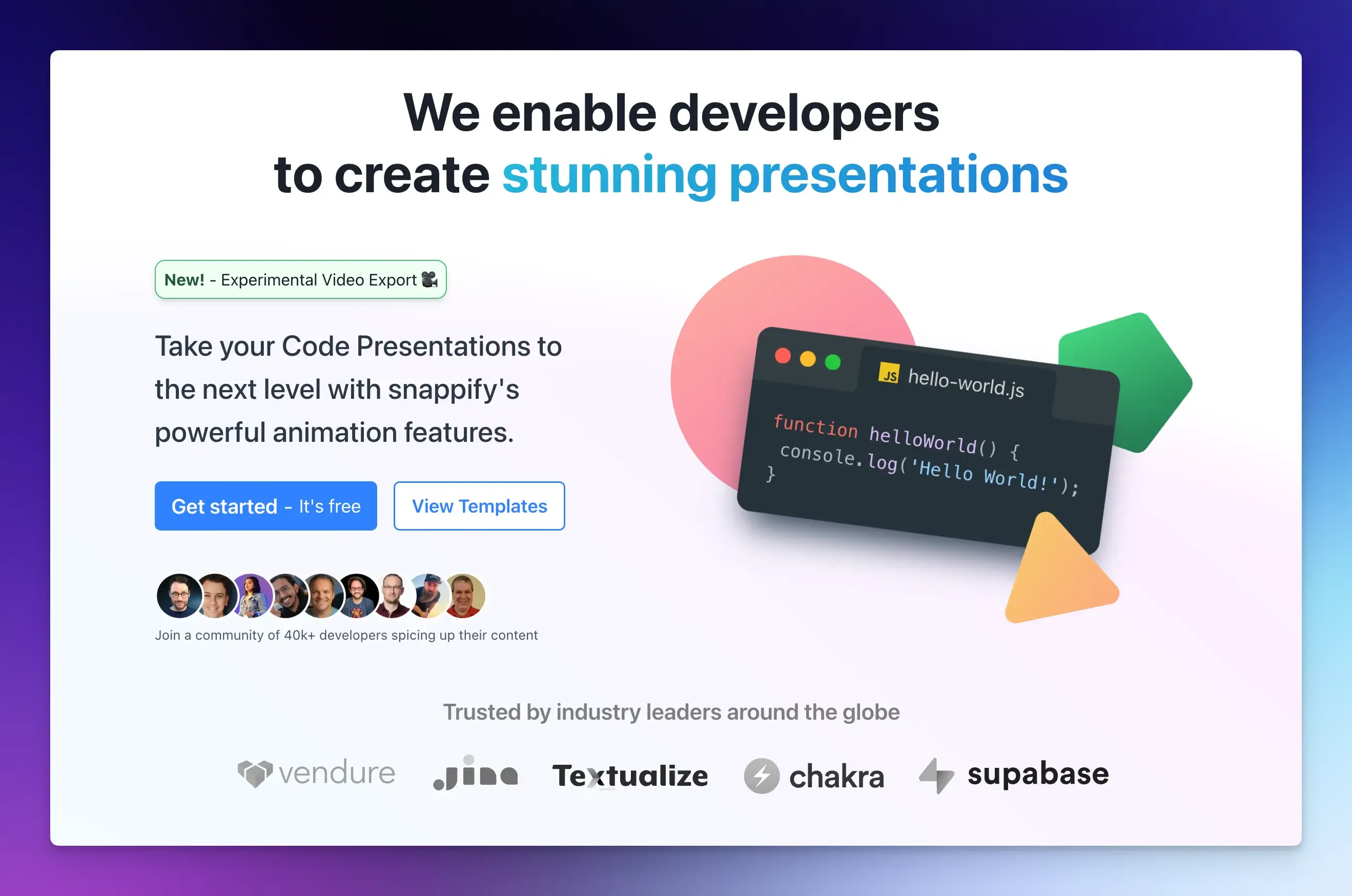
Snappify is a code presentation tool built specifically for developers who share code visually. If you have ever wanted your code snippets to look amazing on X, LinkedIn, or in a slide deck, this is the tool for it.
Beyond basic code screenshots, you can build animated code walkthroughs, create multi-step presentations, and export everything in high resolution.
Best for: Creating beautiful code snippets and slides for social media and blogs.
Key features:
- Syntax-highlighted code editor.
- Animated code slides with transitions.
- Team collaboration for shared presentations.
- Export to PNG, GIF, MP4, and PDF.
- Embed support for platforms like Hashnode, Notion, and Medium.
Honest take: Snappify is excellent if code visuals are a regular part of your content. Developers who teach programming will find it genuinely useful. It is not a full content suite, but for what it does, it is the best option available.
Pricing: Free plan available. Pro starts at around $5/month.
Hashnode
Hashnode is a popular content creation and blogging platform for developers.
You write in Markdown, connect your own custom domain, and get access to a community of technical readers right away.
Best for: Developers who want a personal blog with a built-in audience.
Key features:
- Markdown editor with code block support.
- Custom domain mapping.
- Built-in newsletter functionality.
- SEO controls and Open Graph settings.
- AI writing assistant for drafts.
Honest take: Hashnode is one of the best free options for technical bloggers. It is not a great fit if you need heavy design customization or want to monetize directly through the platform. But it gives you reach without having to start from zero.
Pricing: Free for individual use.
OBS Studio
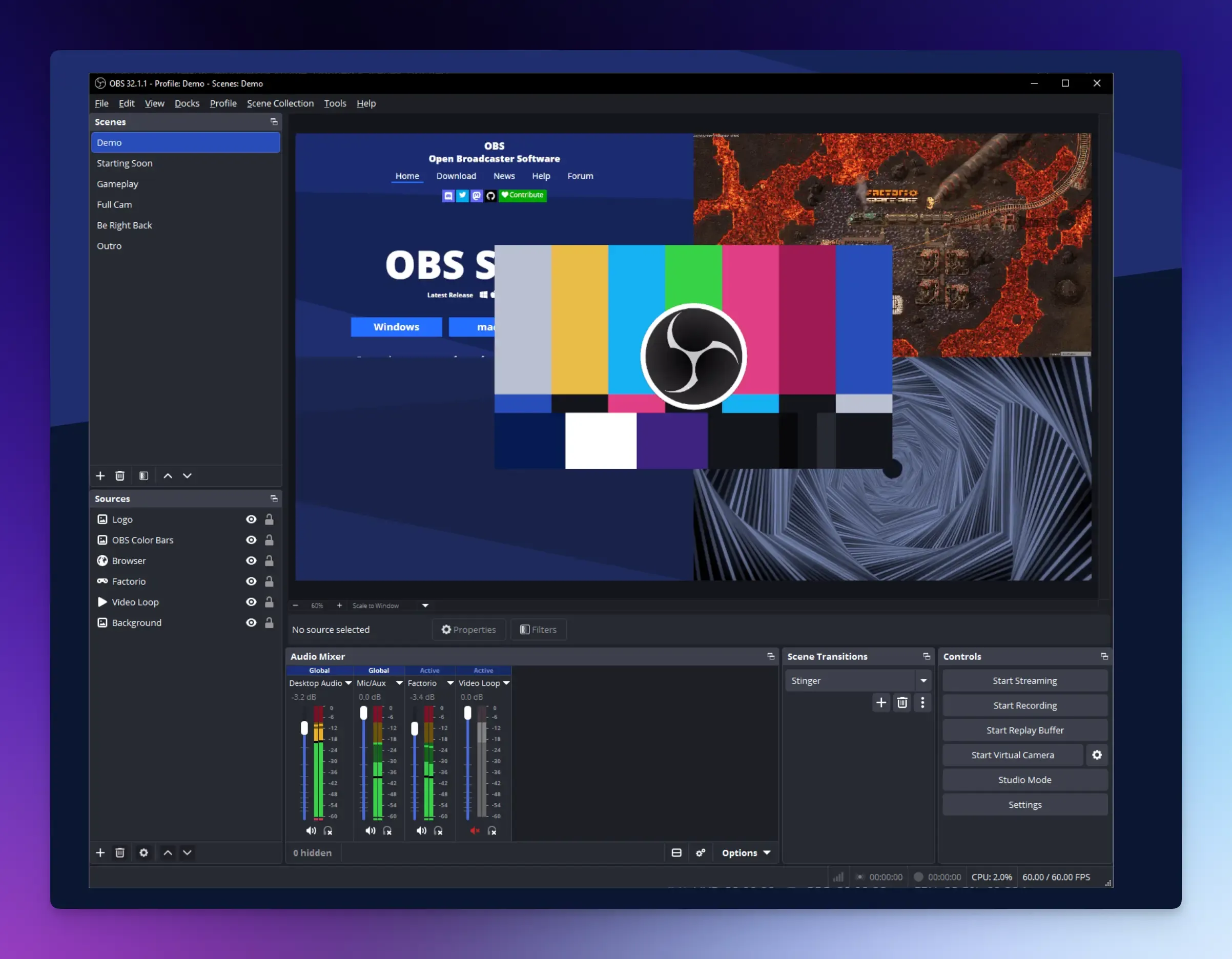
OBS Studio is the standard tool for recording your screen while you code.
It captures your editor, terminal, and browser simultaneously. You can switch between different layouts while recording, which is perfect for showing code, then switching to a browser demo.
Best for: Screen recording and live streaming code tutorials.
Key features:
- Multi-scene setup with instant scene switching.
- Screen capture, webcam overlay, and audio mixing in one tool.
- Stream live to YouTube or Twitch directly.
- Plugin ecosystem for adding transitions.
Honest take: The power of OBS comes with a learning curve. Setting up scenes and audio can take a few hours. But once you set it up, it gives you a level of control that no paid tool in its category matches. If you are serious about video content quality and do not want to pay monthly for recording software, OBS is worth the setup investment.
Pricing: Free and open source.
Canva
Canva is one of the most widely used design tools for content creators across all niches. You can create YouTube thumbnails, banners, course cover images, and presentation slides quickly using templates.
Best for: Creating thumbnails, social banners, and visual assets without design skills.
Key features:
- Drag-and-drop design editor.
- Large library of templates.
- Brand kit for consistent logos, fonts, and colors.
- Background remover and AI image generation.
Honest take: Canva is not a developer-specific tool, but the wide template library and ease of use make it a practical choice for creators who do not want to learn Figma or Photoshop. The free version is useful but has limited templates and AI features. Canva Pro adds more templates and the background remover, which saves time.
Pricing: Free plan available. Canva Pro is around $15/month.
Descript
Descript is a video and audio editor that lets you edit a transcript of your recording. You can cut words from the transcript, and the video cuts itself automatically.
For tech YouTubers who talk through code demos, tutorials, or developer interviews, it genuinely changes how fast you can edit.
Best for: Editing video tutorials by editing text.
Key features:
- Text-based video and audio editing.
- AI-powered filler word removal.
- Screen recording with camera overlay.
- Add captions automatically.
Honest take: This tool is a huge time saver for long tutorials. It works best for videos or screen recordings where you speak throughout. However, the free tier is very limited, with only 60 minutes of media processing per month.
Pricing: Free plan available. Paid plans start around $16/month per user.
Beehiiv

Beehiiv is a newsletter platform that hosts your newsletter website, sends unlimited emails, and provides built-in tools to earn from subscriptions, ads, and paid webinars.
Best for: Developers who want to build and monetize a newsletter.
Key features:
- Code-friendly newsletter editor.
- Subscriber segmentation and tagging.
- Built-in ad network and paid subscription tools.
- Detailed analytics on opens, clicks, and growth.
Honest take: Beehiiv delivers better analytics and monetization tools than older platforms. You can write, publish, grow an audience, and make money, all from one place. The free plan is limited to 2,500 subscribers, which is fine when starting. But pricing jumps noticeably once you grow past that subscriber count.
Pricing: Free plan available. paid plan costs $49/month.
Mintlify
Mintlify turns your Markdown files into clean documentation. It handles developer docs, product guides, and knowledge bases in one place.
The platform connects directly to your GitHub repository, so changes you push from your code editor appear live on your documentation site.
Best for: Creating professional documentation and API references.
Key features:
- Store content in your Git repository as MDX files.
- Edit in a web browser or your code editor.
- Built-in AI search that answers user questions from your docs.
Honest take: Mintlify is powerful for teams shipping code weekly, but it is expensive for a solo creator or small open-source project. The free plan works for basic needs, but you lose many of the advanced features that make Mintlify useful.
Pricing: Free plan available. Pro plan costs $250 per month.
Eraser.io
Eraser is a diagramming and documentation tool built for developers who explain system design, cloud architecture, or API flows in their tutorials or blog posts.
You can create system architecture diagrams, flowcharts, entity-relationship diagrams, and sequence diagrams using either a drag-and-drop editor or a simple text-based syntax.
Best for: Creating technical diagrams, system architecture visuals, and engineering docs.
Key features:
- Text-to-diagram generation using markdown-like syntax.
- Collaborative editing with teammates in real time.
- Templates for common engineering diagram types.
Honest take: Eraser is one of the most developer-friendly diagramming tools. It makes it quick and easy to create the visuals that most technical content creators need. The free plan is generous enough for solo creators.
Pricing: Free plan available. Pro plan starts at $15/month.
Claude
Claude is an AI assistant built by Anthropic that helps you write, analyze, and explain code and solve complex problems.
What makes it particularly useful for technical creators is its ability to handle very long documents.
It does not oversimplify code concepts the way some AI tools do, and it can hold context across long conversations, which matters when you are building a detailed guide or tutorial series.
Best for: Research, code explanation, and long-form technical content writing.
Key features:
- Understands large code files and entire projects.
- Writes and edits long technical articles.
- Research assistance for technical topics.
- Strong reasoning capabilities.
Honest take: Claude is slower than ChatGPT for short tasks. The free version has message limits, which can be frustrating when you are in the middle of an edit. However, it excels at dealing with jargon in technical writing. Claude Pro is worth it if AI-assisted writing is part of your daily workflow.
Pricing: Free plan available. Pro plan starts at $20/month.
Final Words
No tool makes you a better creator on its own. What actually matters is picking the right tools to reduce friction in your specific task, so you can spend more time creating content and teaching others how to code.
Start with one or two tools that solve your biggest problem, get good at it, then expand from there.
FAQs:
What are the best technical content creation tools for beginners?
Use Snappify for code images, Canva for visual design, OBS Studio for screen recording, and ChatGPT or Claude for writing help.
How do I measure the impact of my technical content?
Track three simple metrics. First, how long people stay (read or watch time). Second, completion rate (how many finish your tutorial). Third, repeat visits or subscribers. Tools like YouTube Analytics, Google Analytics, or the Beehiiv dashboard show these numbers for free.
How do I handle multiple content formats without burning out?
The best approach is to create once and distribute in multiple formats, rather than creating fresh content for every platform. Repurpose a single long tutorial into a blog post, a code screenshot shared on social media, or a short-form clip.