8 Best Content Management Systems for Developers (2026)

Choosing the right content management system is one of the most important decisions you’ll make for your project.
A good CMS stores content and lets editors make changes so you can focus on building features that users actually see.
But when you search for options, you find dozens of platforms. So how do you choose the right one?
If you are a developer who also handles content strategy, this guide is for you.
We tested and compared the best content management systems based on key features, pricing, and usability.
Whether you are building a simple blog or a complex web app, this guide will help you pick a CMS that meets your needs regardless of your business size.
What Makes a Good Content Management System?
Before we get started, it’s important to understand what separates a modern CMS system from older tools.
A good content management system lets you create, manage, and publish digital content without writing code every time.
It handles the backend so you can focus on the content itself.
Things to consider before you pick a CMS:
- Ease of use for developers and non-technical editors.
- Pricing and value for money.
- Flexibility and customization.
- API support and integration options.
- Community, documentation, and long-term support.
Many platforms now use an API-first approach. This means the backend, where you store content, communicates with the frontend user interface through simple commands.
You are not locked into one way of doing things.
You should also know what you pay for, whether it is per user, per API call, or per feature.
Now, let’s look at some of the best content management systems you can try.
Cosmic
Cosmic is an AI-native headless CMS platform. It does not just store content, it also helps you create it.
If you want a content management system that speeds up both coding and writing, this is a strong option.
Best For: Developers who want to experiment with AI to build sites faster.
Key Features:
- AI-powered content generation and SEO optimization.
- Supports popular SDKs out of the box.
- Secure collaboration, granular roles, and permissions.
- Automated workflows and real-time notifications.
Pros:
- Powerful content tools and APIs.
- Built-in deployment pipeline with Vercel.
Cons:
- No self-hosting option.
Pricing: Free plan available. Paid plans start at $49/month.
WordPress
WordPress powers over 43% of all websites on the internet. That number alone tells you it still works.
It is the most practical website content management system for most use cases, especially when you need a balance between developer control and client-friendliness.
Best for: Blogs, content-heavy websites, and agencies managing multiple client sites.
Key Features:
- Huge plugin ecosystem for almost any functionality you need.
- Full control over hosting, data, and code.
- Drag-and-drop tools for visual content building.
- WooCommerce for e-commerce functionality.
- REST API and GraphQL support via plugins.
Pros:
- Massive community support.
- Extremely flexible with custom themes and plugins.
Cons:
- Plugin conflicts are a real headache.
- Security requires active maintenance.
Pricing: Free (WordPress.org for self-hosted). Managed WordPress hosting starts at $12/month.
Strapi
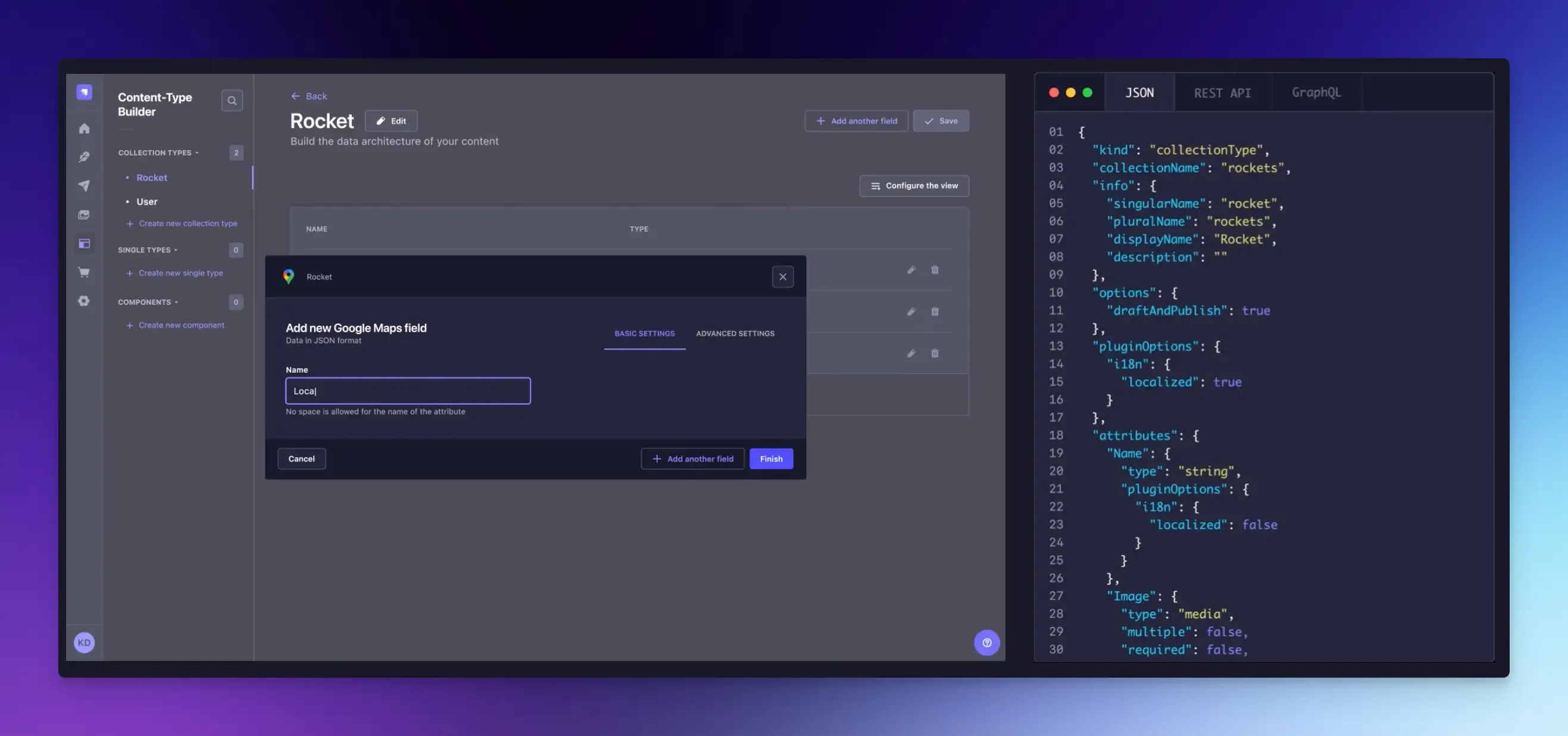
Strapi is the open-source option for developers who prefer self-managed solutions and want full data ownership without paying enterprise prices.
Best For: Teams that do not want to rely on third-party cloud services.
Key Features:
- Self-hosting for projects with strict privacy rules.
- Plugin system for everything from SEO to analytics.
- REST and GraphQL APIs to fetch your data.
- Support for SQLite, PostgreSQL, MySQL, and MongoDB.
- Fully customizable admin panel.
Pros:
- Full control over your data and infrastructure.
- Great flexibility with content types.
Cons:
- You manage updates, security, and scaling.
- Setting it up takes more time than a hosted platform.
Pricing: Free (self-hosted). Cloud plans start from $18 per project/month.
Sanity
Sanity is a content operating system that treats content as data, which makes it incredibly flexible. If your team needs to edit content together in real time, Sanity delivers a smooth experience.
Its standout feature is Sanity Studio, a fully customizable, open-source editing environment that lets you build the exact editing experience your team needs.
Best For: Teams building content-heavy applications with complex data needs.
Key Features:
- Content Lake database for all your content.
- GROQ query language for powerful content querying.
- Sanity Studio lets you customize your editing environment with React.
- Real-time collaboration features.
Pros:
- Highly customizable for complex workflows.
- AI tools like Content Agent for automation.
Cons:
- Steeper learning curve due to custom tools.
- Non-developers may find the initial setup confusing.
Pricing: Free plan available. Paid plans start from $15/month per user.
Contentful
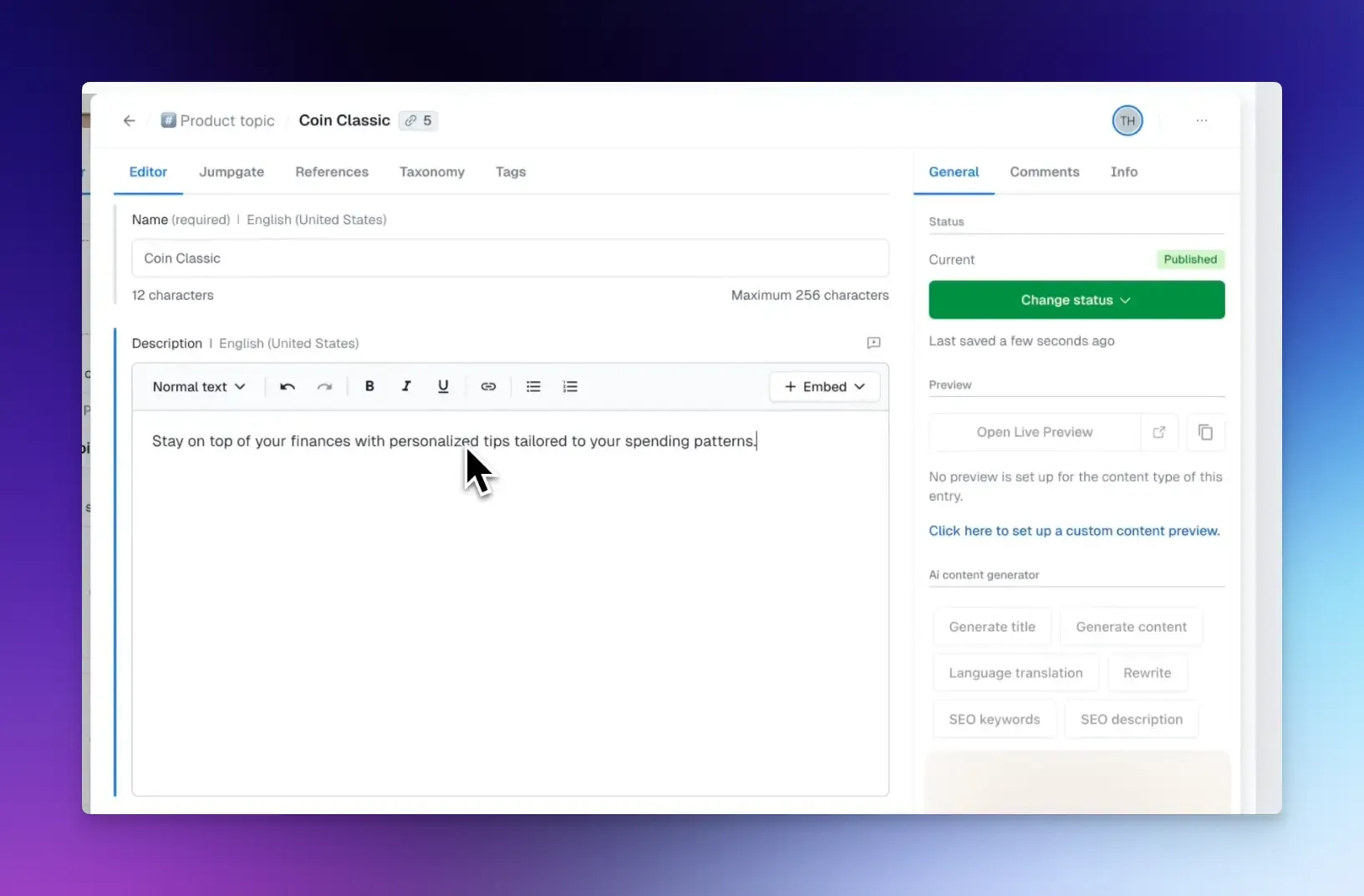
Contentful has grown from a headless CMS into a full Digital Experience Platform.
It enables you to manage and update content across all channels from one centralized platform, making it a strong choice for organizations that require reliability and extensive integration.
Best For: Large organizations needing a stable, feature-rich platform.
Key Features:
- AI Personalization for different audiences across channels.
- Modular content creation for reusable design components.
- Enterprise content management and compliance.
Pros:
- Strong ecosystem of integrations and partners.
- Excellent localization tools.
Cons:
- Pricing scales quickly with usage.
- Less flexible for teams wanting full customization.
Pricing: Free plan available. Paid plans start from $300/month.
Directus
Directus takes a different approach from most CMS on this list.
Instead of defining content types in a dashboard or config file, it wraps around your existing SQL database and auto-generates an API from your actual table schema.
This makes it ideal for developers who already have a database and want a CMS layer on top of it without rebuilding from scratch.
Best for: Developers building database-driven apps, internal tools, or projects.
Key Features:
- Instant REST and GraphQL API from any SQL database.
- Visual data editor for non-technical users.
- Role-based permissions with field-level control.
- An automation engine for no-code workflows.
- File asset management is built in.
Pros:
- Works with existing databases.
- Open source and self-hostable.
Cons:
- Not ideal if you’re starting without a database background.
- Cloud pricing can add up for larger teams.
Pricing: Free (self-hosted). Cloud plans start from $99/month.
Hygraph
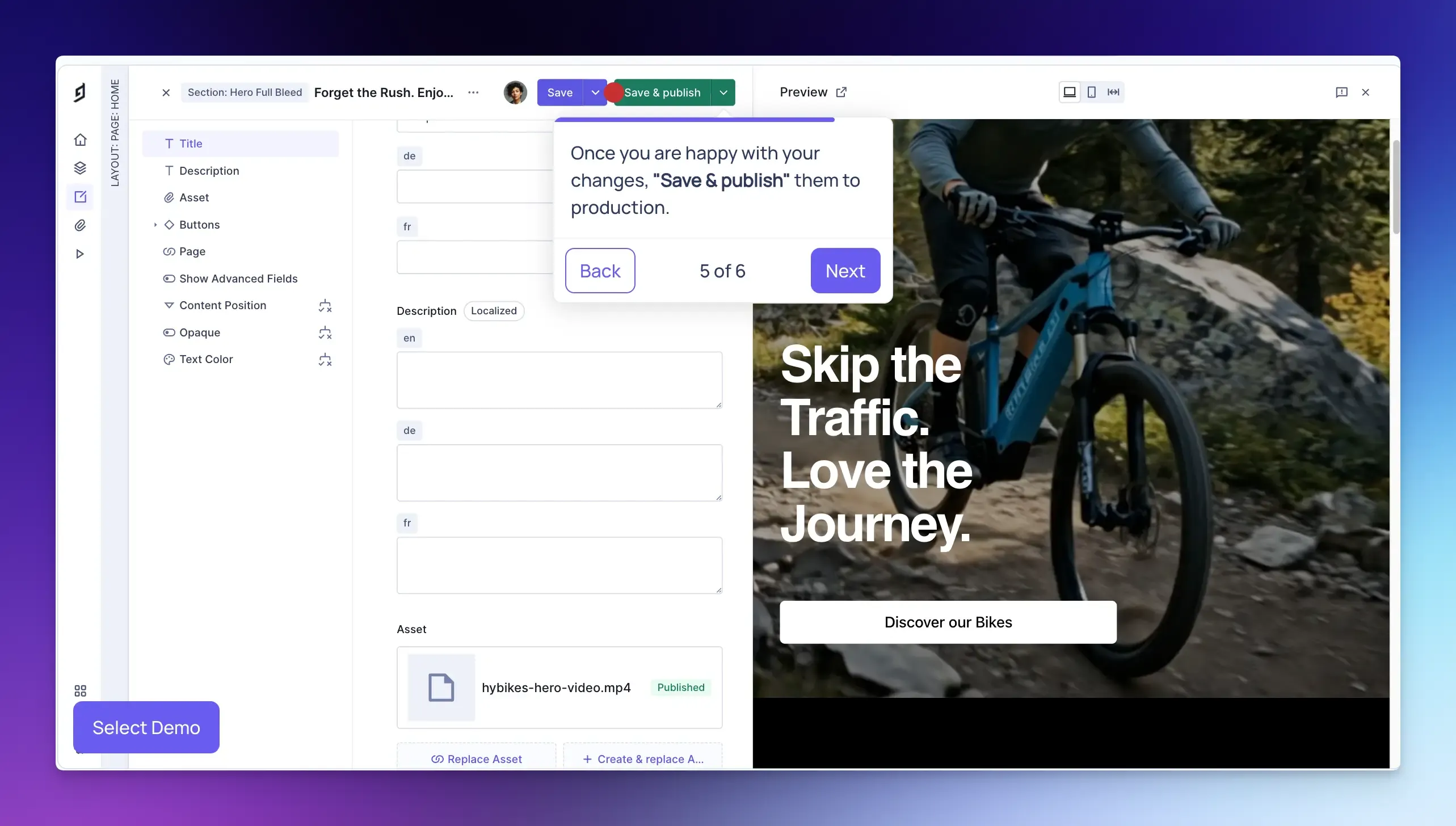
If your team loves GraphQL’s efficiency, Hygraph is a good choice. It is a GraphQL-native, API-first headless CMS that lets you pull data from multiple sources into one API.
Best For: Developers and enterprise teams managing complex digital ecosystems.
Key Features
- Low-code schema builder with a variety of field types.
- Flexible content modeling with reusable components.
- Hygraph agents for automated workflows.
- Localization for global content.
Pros
- Native GraphQL API support.
- Great developer tooling.
Cons
- Expensive once you outgrow the free tier.
- You can’t use REST, which may be a deal-breaker for some teams.
Pricing: Free plan available. Paid plans start from $199/month.
Storyblok
Storyblok combines the flexibility of a headless CMS with a real-time visual editor.
It lets content creators see exactly how their content appears on the page while editing.
For developers, it still offers a headless architecture, meaning you can use any frontend tech.
Best For: Agencies, marketing teams, and projects where non-technical editors need to build pages visually.
Key Features:
- Live visual editor with real-time preview.
- Component-based content blocks.
- Multi-language and multi-space support.
- REST and GraphQL API delivery.
- Strong integrations with Vue, React, Next.js, and Nuxt.
Pros
- Visual editing experience is genuinely good.
- Strong performance with built-in CDN.
Cons
- The visual editor adds some complexity to the initial setup.
- Pricing jumps significantly after the free tier.
Pricing: Free plan available. Paid plans start from $99/month.
Final Words
Choosing a content management system does not have to be hard.
First, match the CMS to your stack.
Second, pick a tool that reduces confusion and helps you build faster.
The right web content management system is the one that fits your team’s workflow, budget, and technical needs.
FAQs:
What is the difference between headless and traditional CMS?
A traditional CMS like WordPress couples content and presentation. The backend and frontend are tied together. A headless CMS separates them. You manage content in one place, and use APIs to send it anywhere.
Which CMS is best for beginners with no coding experience?
WordPress has the largest support community and thousands of no-code plugins. It lets non-developers manage content comfortably after initial setup.
Can I switch CMS later?
Yes, but you need to plan. Migrating content between platforms takes time and often requires custom scripts. Modern CMS platforms offer migration tools. Choose a CMS that fits your long-term needs to avoid extra work.
What is the best CMS for SEO?
Any well-configured CMS can be SEO-friendly. What matters more is how you configure it. Headless CMS options paired with Next.js or Astro can achieve excellent Core Web Vitals scores.